jQuery plugin 分頁 pager v0.1
說明:
- 基本上我是使用在分析xml格式,一次下載資料後在進行資料分頁處理,減少與伺服端的溝通。
- 程式很簡單,為了讓功能單純化,僅回傳該頁的所有內容或運算後的頁數,關於分頁的介面部份需要自行處理。
jQuery原始碼:
    //EX1 回傳頁數:
    //$(Xml).find('xml或html').pager(指定一頁的數量)

    //EX2 回傳指定頁數的內容:
    //$(Xml).find('xml或html').pager(指定一頁的數量,指定的頁數)

    $.fn.pager = function(page, number) {

        //取得內容
        var t = this.text();

        //取得數量
        var _length = $(this).length;

        page = parseInt(page);

        //共幾頁
        var pageTotal = Math.ceil(_length / page);

        //回傳指定頁數內容
        if (number != null) {
            number = parseInt(number);
            number = number - 1;
            var w = number * page;
            var a = w + page;
            if (a > _length) {
                a = _length;
            }
            return $(this).slice(w, a);
        } else {
		//回傳頁數量
            return pageTotal;
        }
    }
})(jQuery);
使用方式很簡單,如下
html:
<div class="here">div2</div>
<div class="here">div3</div>
<div class="here">div4</div>
<div class="here">div5</div>
<div class="here">div6</div>
<div class="here">div7</div>
<div class="here">div8</div>
<div class="here">div9</div>
<div class="here">div10</div>
<div class="here">div11</div>
<div class="here">div12</div>
<div class="here">div13</div>
使用方式一:
一頁設定五個元素,並回傳第二頁內容:
 $(".here").pager(5,2).each(function(e){
str+=$(this).html()+'、';
});
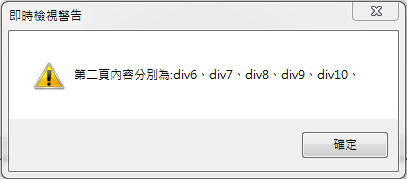
 alert('第二頁內容分別為:'+str);
回傳如下:
使用方式二:
一頁設定五個元素,並回傳運算後的頁數
alert('共有'+t+'頁');回傳如下: