資源的建置動作
首先,需要了解 WP 建置後的檔案 *.XAP: 在WP專案建置完後會產生相關檔案(在%ProjectName%/bin/debug/)
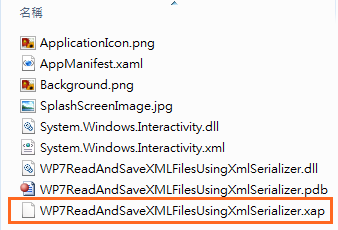
*.xap實際上是個壓縮檔,所以可以以解壓縮軟體開啟
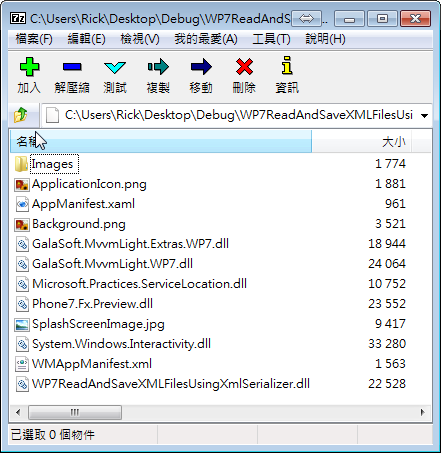
在WP中,可以使用資源,而資源可以圖片、聲音、文字檔…等
WP中可以使用兩種建置方式
1. Resource (default) : EMBEDDED FILES
這種方式會在建置時會將資源“Embedded within WP assembly”被放置在 WP 組件中 (必需透過組件才可以取得這個資源)
,因為已經被置入到組件中,所以解壓縮軟體也看不到
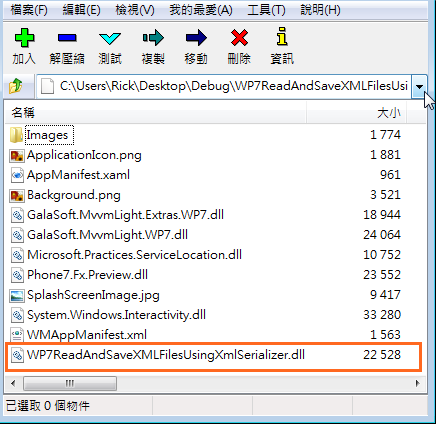
取得資源方式: 需以 [AssemblyName];component/[RelativePath] 模式
例如
                             <Image Source="/WP7ReadAndSaveXMLFilesUsingXmlSerializer;component/Images/Embedded.png"/>

                         //Resource

                              Uri uri= new Uri(WP7ReadAndSaveXMLFilesUsingXmlSerializer;component/Images/Embedded.png", UriKind.Relative);
                              BitmapImage imgSourceRes = new BitmapImage(uri);
                              myResImage.Source = imgSourceRes;
2. Content:
這種方式會在建置時只是單純的放入*.xap檔中,而不是 Embedded within WP assembly,例如將圖檔Content建置方式為 Content,則在解壓縮軟體軟會顯示如下
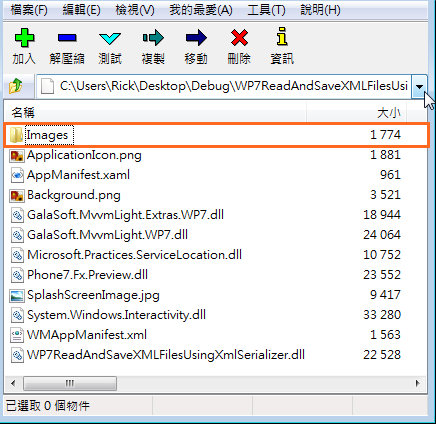
取得資源方式:
                               <Image Source="/Images/Content.png"/>


                   //Content
                               Uri uri = new Uri("/images/Content.png", UriKind.Relative);
                               BitmapImage imgSource = new BitmapImage(uri);
                               myImage.Source = imgSource;